Xtreme Studio Salon and Spa
Choose a website direction
Here are three design concepts for your new website. Each one opens in a new tab, with a feedback box under every section. They are early drafts for choosing a look and feel, not finished pages.
-
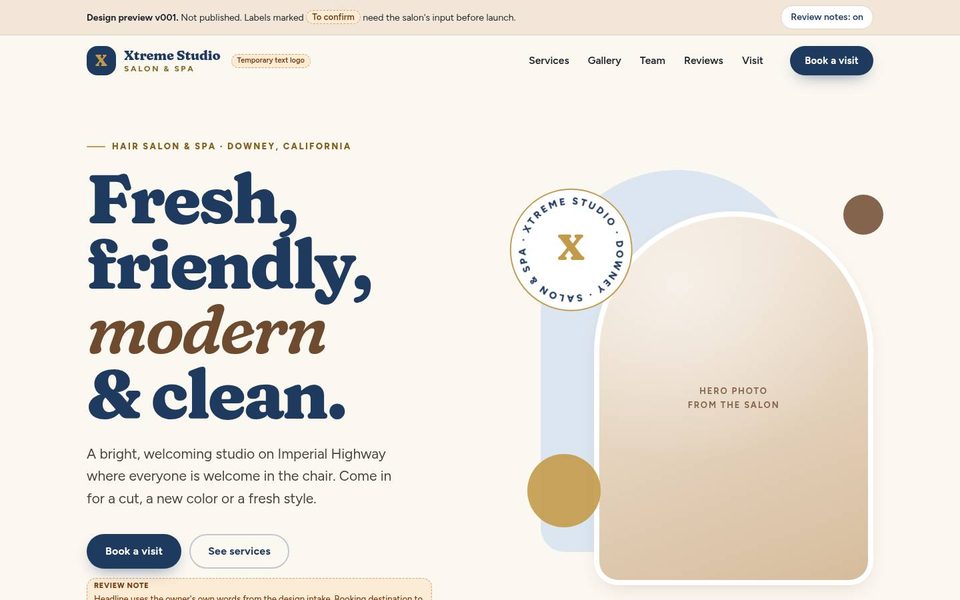 Design concept
Concept 1
Warm and welcoming
Bright and friendly, with soft cream tones, rounded shapes and bold, approachable headings.
Open Concept 1 (opens in a new tab) -
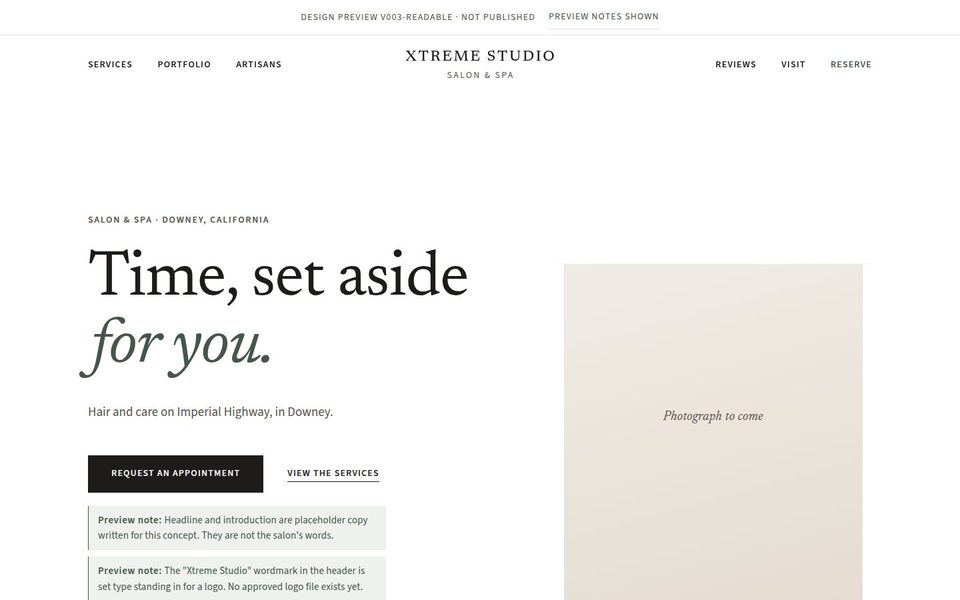 Design concept
Concept 2
Private atelier
Quiet and refined, mostly white, with elegant serif type and plenty of calm open space.
Open Concept 2 (opens in a new tab) -
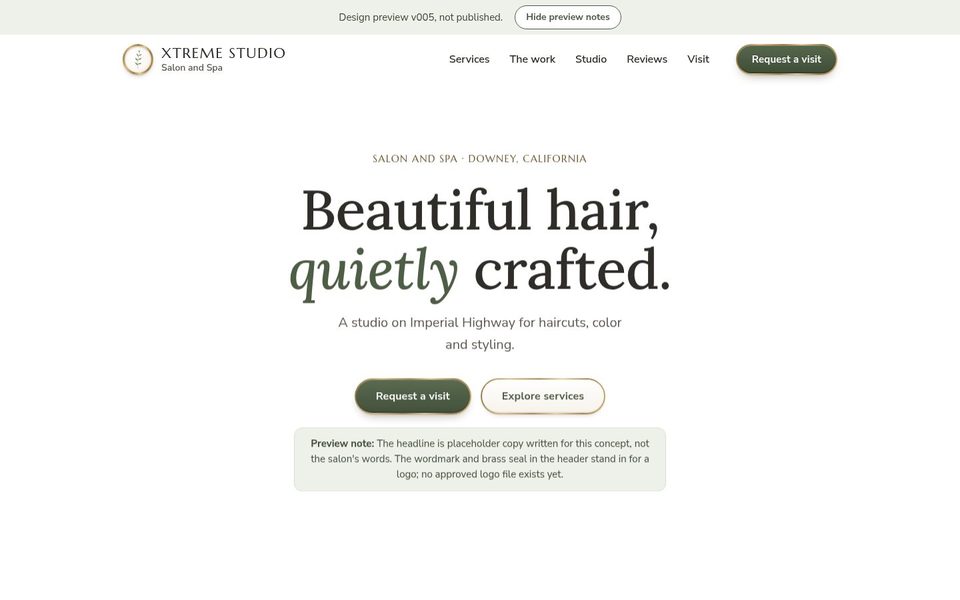 Design concept
Concept 3
Textured luxury
White and natural, with touchable details like paper, stone and brushed brass, and decorative section dividers.
Open Concept 3 (opens in a new tab)
How to share your feedback
- Open a concept. It opens in a new tab.
- Under every section there is a feedback box. Press Approve this section or Needs a change, and add a note if you like. There is one more box at the end for your overall thoughts.
- When you finish a concept, press Send my feedback at the bottom of the screen. Your email opens with everything written in, labeled by concept and section. Check it and press send.
Your notes are saved in this browser as you go, so you can stop and come back later. Use the same phone or computer until you have sent them.
Photos, the logo, headlines and some details in these concepts are placeholders. Anything marked “to confirm” needs your input before a real website is built. The booking and request forms inside the concepts are only examples and do not send anything; only your feedback is sent, and only when you press send.